Original article posted on the Jungle Minds website
Why we should make for everyone
Thoughts on accessibility and inclusiveness
April 2020
As digital continues to grow into something vital to our daily lives, the amount of people using digital products also grows. This means we can reach more people, which also means reaching all sorts of people. This alone should be reason enough to take a critical look at our design process. To see if we are designing for all these individuals.
During design or concept phases, we like to focus on one or more personas. Or just use ‘the user’ or ‘the customer’ as a starting point. By doing this (and yes, I’m at fault here as well), we’re saying that there’s such a thing as a normal user, with some edge cases.
The problem is: normal doesn’t mean much.
We all have (special) needs, sometimes permanently, sometimes temporary, sometimes situational. No one is “normal”. The fact is that not only, everyone is different, but also behaves different in different situations.
"They are not edge cases. They are human beings.” - "When you decide who you’re designing for, you’re making an implicit statement about who you’re not designing for.” - Ruined by Design, Mike Monteiro
That’s why I want to explore how we can make for as many people as possible. Instead of making for the user.
What's what?
There are a lot of terms floating around trying to cover the idea of making things that everyone can use. Let me try to sum up what the three most important ones are.
Usability is part of the broader term “user experience” and refers to the ease of access and/or use of a product or website. This is basically what a UX/Interaction designer dreams about.
Accessibility is about creating products that are accessible for everyone. It’s not just about access to a webpage, but about the accessibility of the services and information you’re providing (this means, also people with disabilities). Usually when we talk about accessibility, we mean semantic code that works well for screen readers and good colour contrast ratio (aka the WCAG Guidelines). This is a good start, but I think trying to design for everyone goes further than that.
Inclusivity is not only about if everyone can use it, but about if everyone wants to use it. It's less logical and objective and much more emotional and subjective. It’s in the word already, we’re trying to include as many people as possible (and maybe more importantly, not excluding anyone). This means also including different genders, social or economical backgrounds, family situations and so on.
Designing for inclusivity/ accessibility
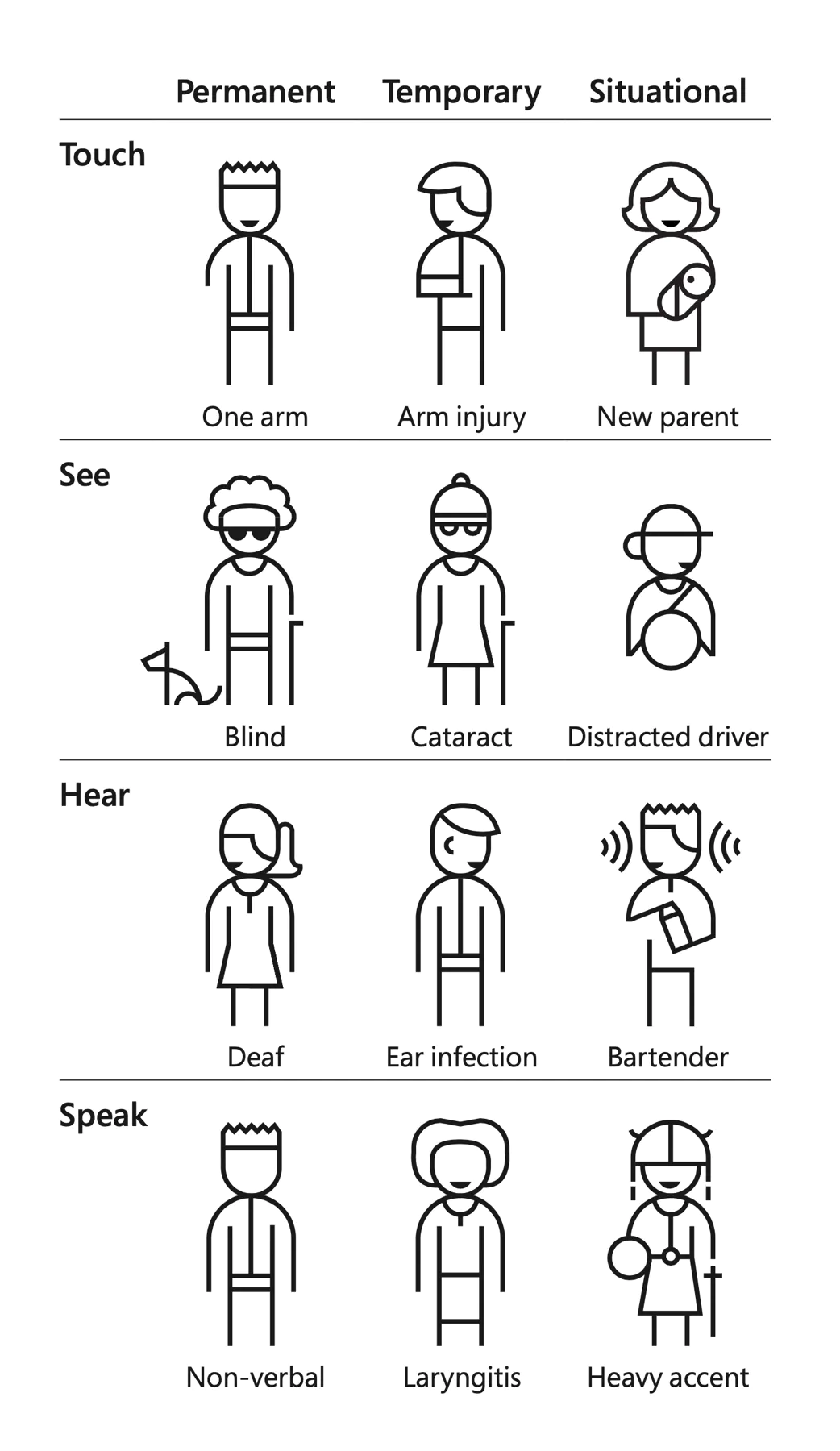
Image by Microsoft Inclusive Design
This means designing better for everyone. Designing for people with permanent disabilities can seem like a significant constraint, but the resulting designs can actually benefit a much larger number of people.
It can spark innovation and creativity
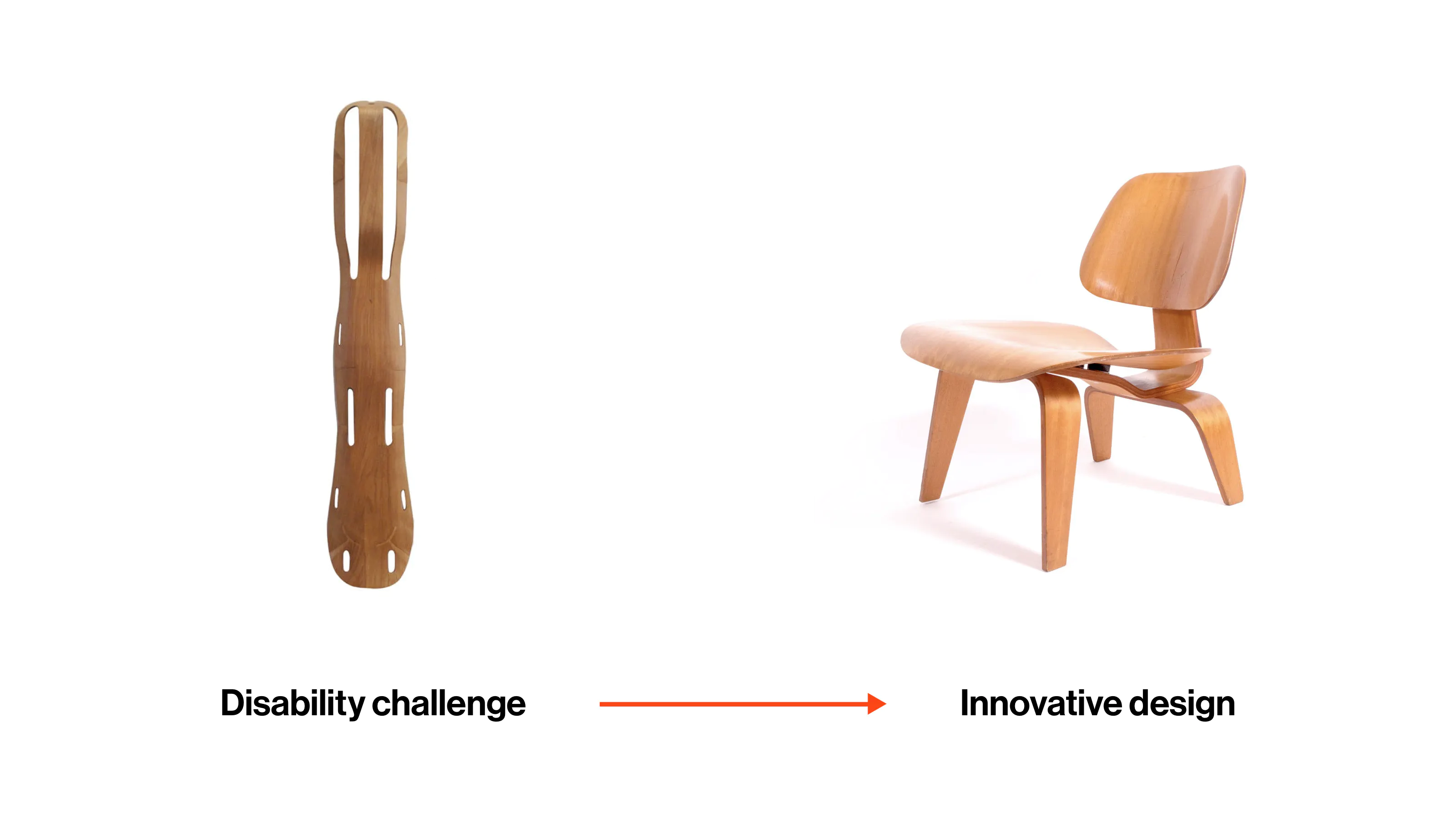
The Eames’ had been working on techniques to mold and bend plywood, and they were able to come up with this splint design. The wood design became a secure, lightweight, nest-able solution, and they produced more than 150,000 such splints for the Navy. You could assume that this type of innovation works the other way around. That an idea for the masses would be applied to the assistive solutions. But actually, disability challenges are a great source of (aesthetic) ideas.
Actually be responsive
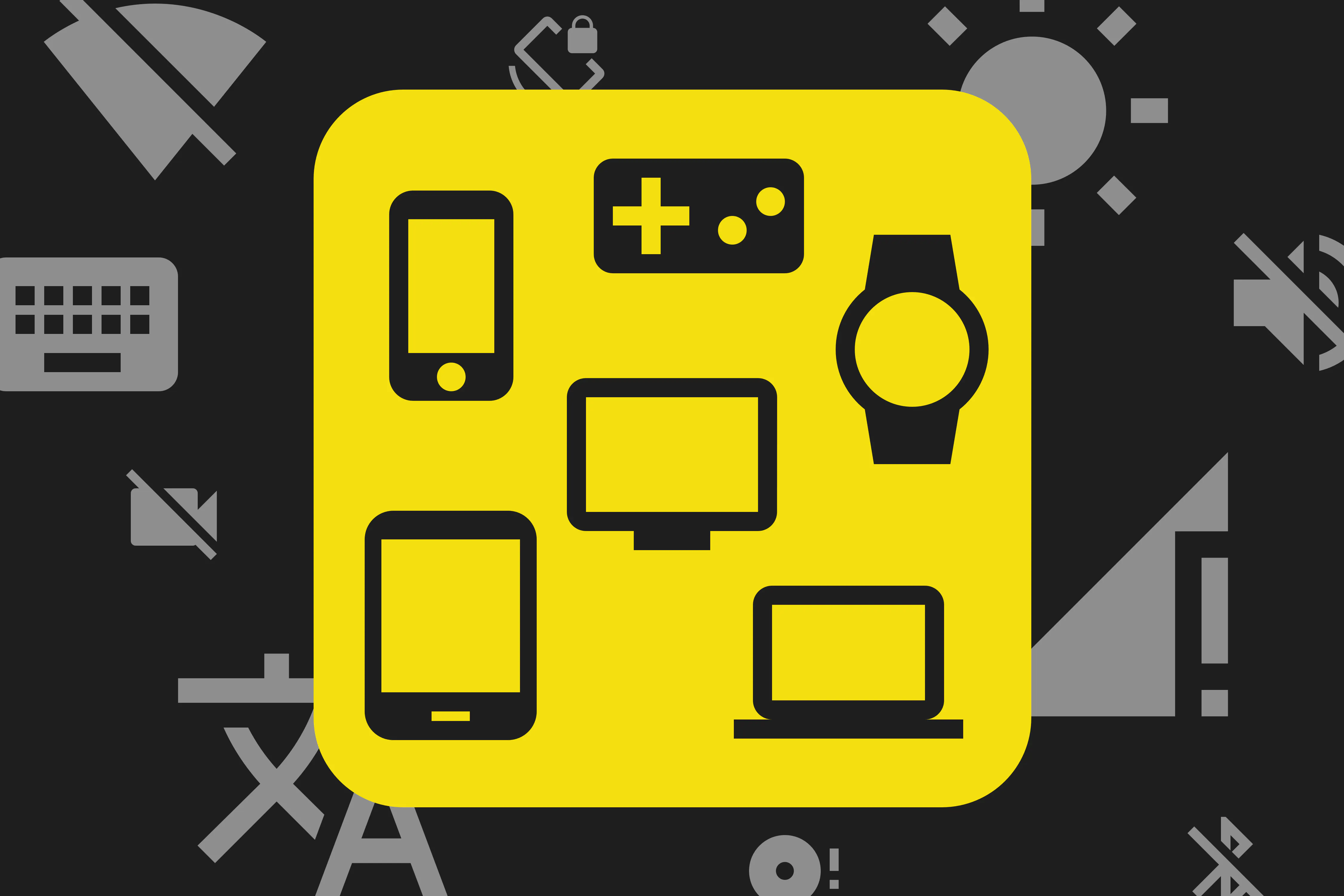
A responsive design will result a lot of times in pages in three different screen sizes (mobile, tablet, desktop). But there’s more to it. Of course the pages should be responsive in terms of screen sizes. But responsiveness is also about making your product work in different circumstances. That can be contextual circumstances, like glare hitting a screen or having a slow internet connection (or none at all). But also preferential circumstances, like using certain browser plugins or browsing on a gaming console with a controller.
So let’s not only write semantic code to improve accessibility (for screen-readers and other assistive technologies), but also to make your product available across devices and platforms.
A small example: making sure an article page has proper semantics, so it can be displayed correctly by an article reader, like Pocket.
Sounds like too much work
I can but it doesn't have to. Designing for everyone can sound like it’s going to take at least three extra sprints. That’s why I think it’s important to embed it in the design process. The sooner we start to think about designing inclusively in the process, the easier it will be. Nobody has all the answers on this topic of course, plus the circumstances are changing everyday. Next thing you know, we’ll have to make the web foldable… (smashingmagazine article)
So where can we start?
Get up to speed on guidelines. Such as WCAG Guidelines, Google Material Design Guidelines, Apple Human Interface Guidelines.
Test with real people. User testing is always a good idea (there are exceptions of course). Try not to exclude people from your tests because it fits your product better. Of course you have to define target audiences, but only selecting people who are tech savvy, might not be as representative as you think.
"People with disabilities are problem solvers. They do it every day.” - Dr. Richard Ladner